
Tip #11 | Part 1/2 (20/05/2026) – Google Arts & Culture
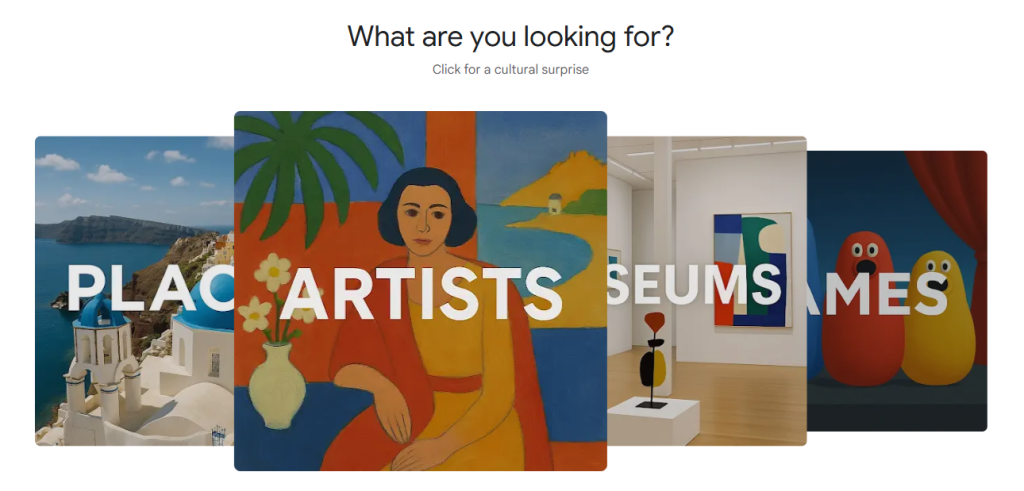
Google Arts & Culture is a free online platform created by Google. The website was released on February 1, 2011 and the application, on November 30, 2015. Its main idea is to make it possible for anyone anywhere to have access to art, history, and cultural heritage from institutions around the world.
The platform claims that it partners with over 3,000 museums, galleries, and cultural organizations, such as the Guggenheim in New York, United States, and the Museu Lasar Segall in São Paulo, Brazil, offering high-resolution artworks, virtual museum tours via Street View, curated stories, and interactive experiments.
Users can explore content by artist, art movement, historical figure, place, or even by color, browsing over 100,000 artworks filtered by hue. Beyond passive browsing, the platform includes games, AI-powered tools, and augmented reality features that let users engage with cultural content in a more interactive way.
The following YouTube video is a Google Arts & Culture introduction made by the platform itself:
The platform can be used to enhance not only the English language learning, but also it could be used to increase the learning about different cultural contexts by studying some history, visiting different historical locales, reading about artists etc. According to Flora Debora Floris (2025), a researcher from Petra Christian University:
“Through these digital tools, students can engage in various language activities—such as reading comprehension, descriptive and narrative writing, speaking, listening, and critical thinking exercises—which in turn deepen their understanding of language in its cultural contexts.” (Floris, 2025).
The website can be used in the classroom to enhance English language learning in many ways, whether by using the site during lessons, playing the games available on it, extracting key information to develop a lesson plan, etc.; there are many possibilities.
Here are two examples of activities adapted from Floris (2025):
ACTIVITY 1: SAY WHAT YOU SEE
This is an engaging icebreaker and it consists in combining visual art and language practice. This activity can be done in groups or individually. Here is a plan for a group activity:
Step 1. Organize the class into groups;
Step 2. Present artworks (example below) that showcases the artworks that will be observed and select the artworks that you prefer or fits more with activity;

Step 3. Ask the groups to write in notes what they see in the material provided by the teacher. The sentences must include a subject, context and specific objects depicted in the artwork;
Step 4. Promote a moment of sharing the content they wrote among the groups. The sentences with more details guarantee more score to the group, the sentences less detailed or inaccurate receive lower score to the group;
Step 5. At the end of the activity, rank the groups that provided the most detailed explanations of what was shown. Then, demonstrate ways to explain the content covered in greater detail to ensure everyone understands.
This activity helps students with writing and speaking skills; visual art vocabulary and grammar topics such as describing using comparatives and superlatives structures. The teacher can also help them refine/detail their texts.
ACTIVITY 2: READING COMPREHENSION
The website offers a vast selection of content related to art, history, and culture. Incorporating it in classes and lessons would help students to improve their comprehension.
Step 1. Select a relevant article from Google Arts & Culture that fits with the subject, class language level and interests.

Step 2. Prepare a worksheet with questions related to the selected article. The teacher could shape the questions depending on intentions. Short questions to more specific details, or multiple choice questions to assess general understanding, even essay questions to encourage critical thinking and analysis.
Step 3. During the activity, students should read the article and answer the questions without using external resources, such as cell phones, etc., to obtain additional information.
According to Floris (2025), this activity helps students with reading comprehension, exposing students to a wide range of cultural and historical topics and enhancing their interpretation and vocabulary.
The following example has been created by Saber Conectado, considering other possibilities offered by the website.
ACTIVITY 3: SHARING CONTENT MOMENT
Students visit Google Art & Culture website or app an item of their interest, explore it and describe it to the class. It can be an artwork, an artist, a game, a document, a picture etc.
Step 1. Let the students explore website/app, and choose one item that caught their attention;

Step 2. Ask them to write a paragraph about it explaining why they chose that particular content and what feelings it caused them.
Step 3. To end, promote a sharing moment among the students. The teacher should encourage them to describe it thoroughly.
This activity also helps the students to develop an emotional connection based on their shared interests.
To sum up, Google Arts & Culture can make the classes more interesting and dynamic while improving culture. Moreover, it promotes interdisciplinary activities (Arts and English; History and English; Geography and English etc), which may include teachers from different subjects.
The website has multiple possibilities. Therefore, it deserves a second post. Check Tech Tip #11 part two soon.
REFERENCES
Meet Google Arts & Culture | 👋 HELLO! | Google Arts & Culture. [S. I. : s. n.], 2018. 1 video (1 minute). Published by the Google Arts & Culture channel. Mar. 2026.
FLORIS, Flora D.; Enhancing English Language Learning with Google Arts & Culture. Humanising Language Teaching Magazine, v. 27, n. 1, Feb. 2025.
GOOGLE ARTS & CULTURE. Google Arts & Culture. Available at: https://artsandculture.google.com. Mar. 2026.
